
Password Manager
Productivity
2026-11-10
4.55MB
2026.08.09.96593
Android
413
Screenshots
Introduction
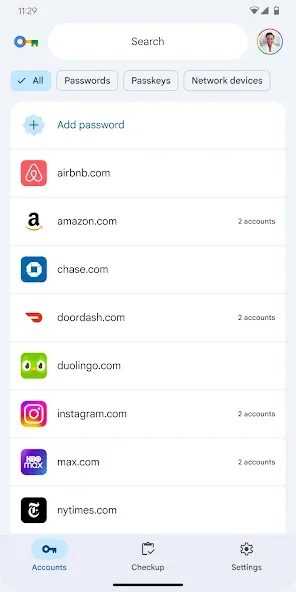
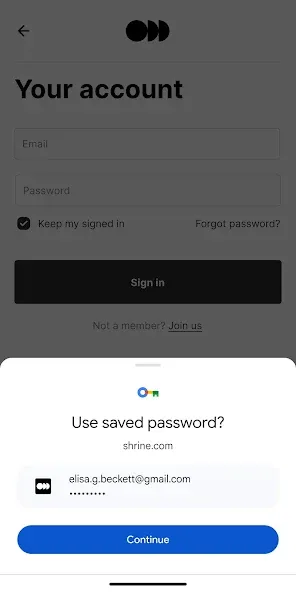
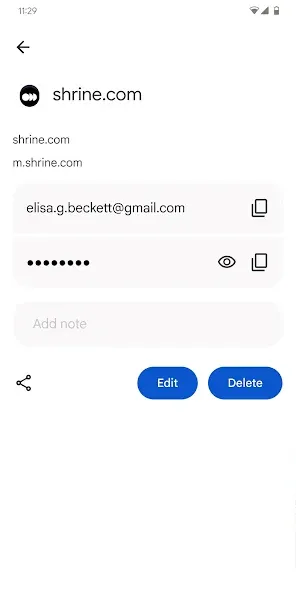
Password Manager is a powerful tool for managing your passwords. It features a clean, minimalist interface that allows users to get started quickly and save their personal information to their accounts with just a few simple clicks. The software offers a high level of security; users can manually add passwords to enhance the protection of their devices, and easily access their stored passwords or unlock patterns. Designed for convenience, the application is lightweight, quick to download, and features an intuitive layout that meets all essential user needs. It also boasts excellent compatibility, integrating seamlessly with software across various platforms while ensuring data security through advanced encryption technology. Enjoy a range of convenient features, including rapid search and easy copying of your stored data.
Features:
Secure Authentication: Access your password vault by logging in via PIN or biometrics (fingerprint).
Encrypted Storage: All passwords are encrypted using AES-256 and stored securely in a local Room database.
Fully Offline-First: The application remains fully functional even without an internet connection.
Password Generation: Create strong, random passwords directly within the app.
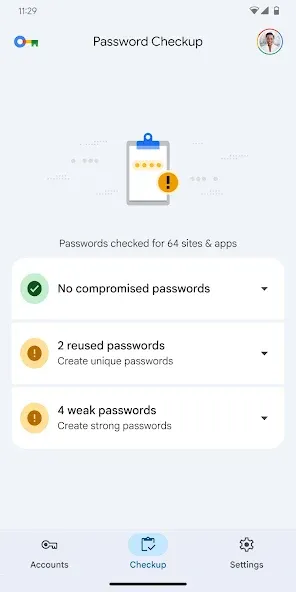
Password Strength Scoring: Receive visual feedback on the security of your passwords.
Backup: Import or export your data, either encrypted or unencrypted.
Automatic Backups: Automatically back up your database, with configurable retention periods and a set number of backup copies to keep.
Custom Backup Location: Choose where to save your backups using the Storage Access Framework.
Custom Categorization: Create and manage your own categories for entries.
Highlights:
Passkeys – Store and use modern phishing-resistant credentials, offline
Biometric unlock – Fingerprint & face authentication
One-Time Passwords (OTP) – Built-in authenticator for 2FA accounts
Password history – Track previous passwords
Self-destruction – Extra security in case of attacks
Custom fields – Store additional details for each entry
Clipboard auto-clear – Prevent leaks
CSV import & export – Seamless migration and backup
PDF export & print – Save and print your passwords securely
Image attachments – Store visual credentials
Wear OS support – Access passwords on your smartwatch
Unlimited labels & mass actions – Organize your way
Permissions:
android.permission.ACCESS_LOCAL_NETWORK
View network connections
Allows the app to view information about network connections, such as which networks exist and are currently connected.
Take photos and videos
Allows the app to use the camera to take photos and record videos while in use.
Run foreground services
Allows the app to use foreground services.
Full network access
Allows the app to create network sockets and use custom network protocols. Since browsers and other applications already provide ways to send data to the internet, this permission is not required for that purpose.
Query all packages
Allows the app to view all installed packages.
Run at startup
Allows the app to launch as soon as the system finishes booting. This may increase startup time and, by keeping the app running constantly, could slow down the overall performance of your phone.
Use biometric hardware
Allows the app to use biometric hardware for authentication.
Use fingerprint hardware
Allows the app to use fingerprint hardware for authentication.
Prevent phone from sleeping
Allows the app to prevent the phone from entering sleep mode.
Advantages and disadvantages:
Pros
Simple interface
Powerful features
Good compatibility
Cons
Contains ads
Conclusion:
If you are looking for a faster, more convenient, and more efficient way to manage your passwords, please download the Password Manager APK. With this app, you can log in to any website or application with the tap of a button, or instantly copy the password you need.





-
Latest Updates
-
Featured Apps