SoundSeeder
Music
2026-11-06
30.84MB
2.7.1
Android
563
Screenshots
Introduction
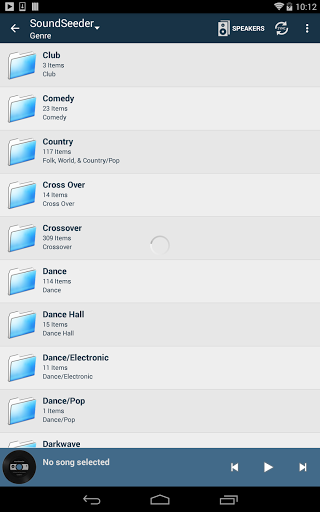
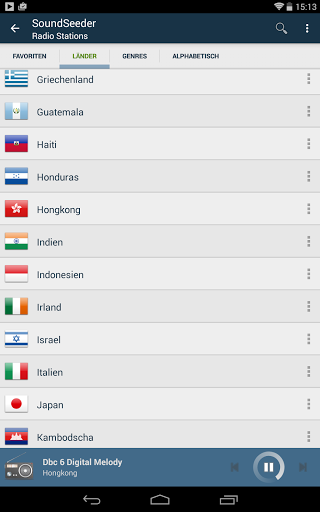
SoundSeeder is a music application designed for the Android operating system. It features a clean, minimalist interface and intuitive functionality, allowing users to get started with ease. Beyond simply playing music stored on a mobile device, the app also offers additional services, such as an online radio player. It boasts excellent compatibility across a wide range of Android devices and ensures seamless, continuous music playback. With a large user base and an active community, the app provides a space for users to connect and interact. It also prioritizes security, safeguarding user privacy, and features a well-organized categorization system for its media content.
Features:
Synchronized Multi-Room Playback
Enjoy synchronized playback across up to 16 devices via Wi-Fi, Wi-Fi Direct, or a portable hotspot. Designate one phone as the "player" and add other phones to act as speakers. Music remains perfectly in sync as you move between rooms, eliminating echoes and latency. A stable router and keeping devices in closer proximity will improve synchronization; a high-speed Wi-Fi connection is recommended. Once devices are connected, no active internet connection is required.
Local, DLNA, and Online Sources
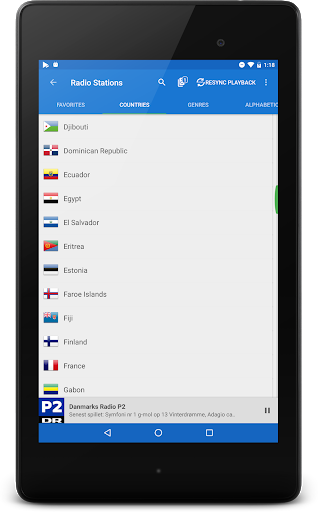
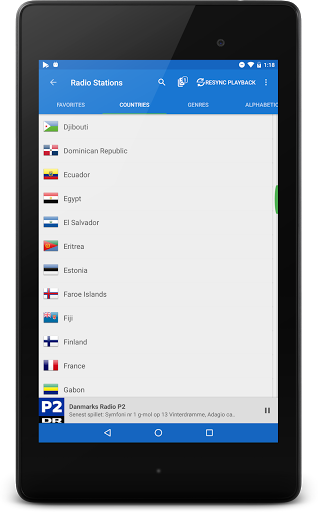
Play local files, browse DLNA or UPnP servers, or tune in to thousands of online radio stations. The system supports common audio formats, including MP3, M4A, AAC, OGG, FLAC, and WAV. Spotify Premium is supported if a "HiFy bridge" is configured; otherwise, local and DLNA sources ensure stable playback.
Add PCs and Raspberry Pi Devices as Speakers
Expand your setup to more rooms by using the companion speaker app to turn Windows, Mac, Linux, or Raspberry Pi devices into Wi-Fi speakers. Simply connect them to the same network, and they can join the group just like any smartphone. This allows you to repurpose existing hardware for multi-room audio without needing additional equipment.
Remote Control and Bluetooth Enhancement
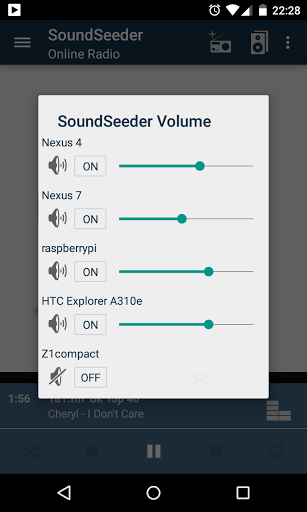
Manage everything from the "player" device—control the volume of the entire group without needing to touch individual speakers. If you need more volume in a specific room, you can pair a phone with a Bluetooth speaker; it will remain synchronized with the rest of the system while boosting the sound in that area. Convenient features include a sleep timer and day/night themes. The free version supports up to two connected speakers, with a session limit of 15 minutes per use.
Highlights:
Material Design (day & night themes)
Sleep Timer
25.000+ Online Radio Stations
UPnP/DLNA browser
DLNA renderer support
Remote control the playback and volume of all speakers
Free speaker application for Android, Windows and Linux (Raspberry Pi) available (http://soundseeder.com/downloads)
mp3, mp4, m4a, aac, 3gp, ogg, flac and wav media support
Like Samsung "Group Play" ™, Sonos ™ or Huawei Honor Party Mode
Advantages and disadvantages:
Pros
Synchronizes music across multiple devices
Supports Android, Windows, Linux, and Raspberry Pi speakers
Plays local files without internet access
Includes DLNA and online radio support
Cons
Requires a fast, stable Wi-Fi connection
Conclusion:
Whether you want to listen to music on your computer or create a unique wireless listening experience, SoundSeeder is the ideal choice. Combining practicality with fun, it stands out as the best app for music synchronization. So, gather your friends, fire up SoundSeeder, and enjoy your music to the fullest!





-
Latest Updates
-
Featured Games