
Volume Booster
Entertainment
2026-11-09
9.97MB
8.1
Android
473
Screenshots

Introduction
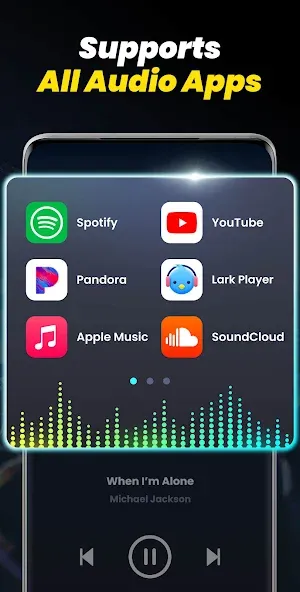
Volume Booster is an audio enhancement application. This tool features a user-friendly interface and intuitive functionality, allowing users to boost the volume of videos and audio content for an improved listening experience. It offers excellent compatibility, a stylish design, and supports background playback. With robust customization options, users can tailor the settings to their personal preferences. The app also includes versatile widgets and notification bar controls. It is simple to use, ensuring an easy learning curve, and prioritizes security to keep user data and privacy protected. It connects quickly without requiring root access—a highly practical audio enhancement tool.
Features:
Maximum Volume Control and Sound Enhancement
Easily boost your device's volume. Whether for music, videos, or voice calls, this Android speaker booster amplifies sound to the maximum level—without any distortion.
Professional Custom Equalizer
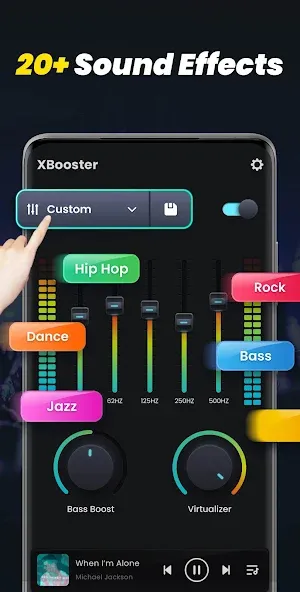
Tailor your sound using a 10-band equalizer designed for various audio styles. Choose from presets like Rock, Pop, and Jazz, or create your own custom settings—perfect for both music enthusiasts and professionals alike.
Bass Booster for Richer Sound
Turn on the 3D Bass Boost feature and feel every beat. Enjoy immersive audio and deep, resonant bass on any playback device.
Visual Spectrum and Seamless Playback
Watch your music come to life with a dynamic visual spectrum. Enjoy a smooth, uninterrupted listening experience with the built-in music player.
Smart Controls
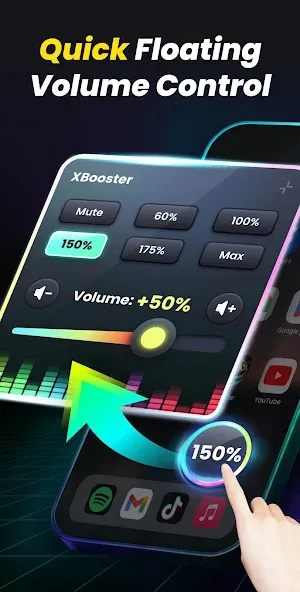
Manage and adjust your volume directly from the notification bar or a floating window—designed for quick, on-the-go control.
Download Super Volume Booster
Elevate your listening experience with this volume booster for Android. From louder ringtones to immersive gaming soundtracks, take full control of your device's volume.
Highlights:
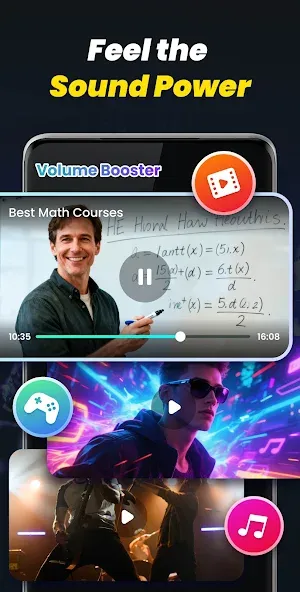
Boost the volume of media such as videos, audiobooks, music, and games.
Bass booster and 3D virtualizer effects
10-band equalizer with over 20 preset effects
Colorful edge lighting: visualize your music with full customization options
Boost system volumes, including alarms, ringtones, and more
Increase volume without compromising sound quality
7 free, stylishly themed skins (Cyberpunk, Minimalist, etc.)
Sound enhancement for headphones, Bluetooth devices, and speakers
Supports audio playback in the background or while the screen is locked
Stunning visual sound spectrum
Immersive stereo surround sound
Built-in music player controls
Sleek and simple user interface
No root required
FAQS:
What is Volume Booster?
It is an app designed to enhance the audio performance of Android devices.
What features does Volume Booster offer?
It boosts the volume for everything—music, movies, audiobooks, alarms, ringtones, and more.
Is Volume Booster easy for new users to use?
It is a simple, lightweight application that is very easy to get the hang of.
Advantages and disadvantages:
Pros
Boost your sound volume from 20% to 30% more
Offers sound equalizer
Simple and intuitive user interface
Customizable notifications settings
Cons
Chances of getting your speakers or headphone destroyed
Conclusion:
Have you ever found the volume too low while listening to music or talking to someone? Or perhaps you’ve heard strange noises and wished you could adjust the volume to eliminate them? Or maybe you simply want your phone to be louder? If so, you’ve come to the right place. This simple, free, and easy-to-use volume booster app can significantly increase the volume of your speakers and headphones—download it now and see for yourself!





-
Latest Updates
-
Featured Apps